
The evolving internet landscape has pushed personal data security to the forefront. From nefarious cyber-attacks to subtle data mining by legitimate companies, the need for a virtual shield that wards off prying eyes has never been more significant. To step up your cybersecurity game, one method stands out for its comprehensive approach – setting up a VPN directly on your router. This guide will walk you through how to do just that using CyberGhost VPN, safeguarding your entire home network with ease.
What Is a VPN Router?
A VPN router is a specialized type of router that plays a crucial role in enhancing your online security and privacy. By establishing a secure and encrypted connection, it shields your online activities from potential threats and unauthorized access. Acting as a secure gateway between your devices and the internet, a VPN router routes all your internet traffic through a virtual private network (VPN) server, adding an extra layer of protection to your data transmission.
In operation, a VPN router employs sophisticated encryption protocols to encode all data passing through it, ensuring that your sensitive information, such as passwords and financial details, remains confidential and safeguarded against cyber threats. This robust encryption mechanism guarantees that your internet traffic is shielded from any prying eyes that may attempt to intercept or monitor it.
Once you have configured a VPN router, any device that connects to it automatically benefits from the VPN’s protective features. Whether it’s your laptop, smartphone, smart TV, or gaming console, any device connected to the internet through the VPN router will enjoy the heightened security and privacy measures it provides. In essence, the VPN router extends its protective shield to all your internet-connected devices, offering a comprehensive security solution for your online interactions.
Why Choose a VPN for Your Router?
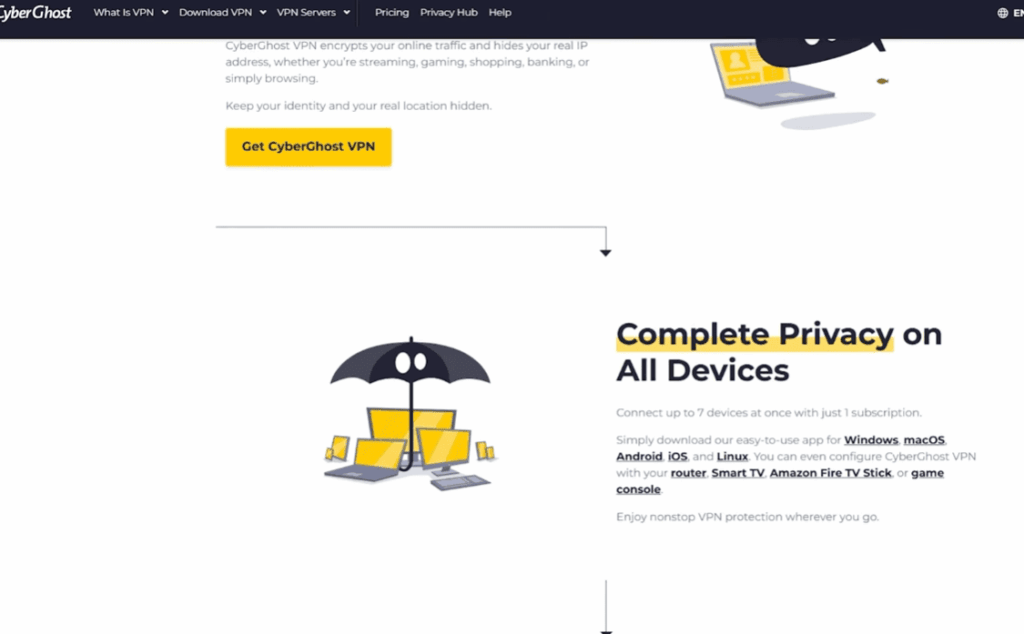
While you can install VPN applications on individual devices, doing so at the router level offers a host of advantages. For starters, it ensures all internet traffic across every device in your home is automatically encrypted and rerouted through the VPN gateway. This approach is especially beneficial for Internet of Things (IoT) devices, which typically lack native VPN support. It also simplifies the user experience, requiring no explicit connection or disconnection for each new device or user that joins your network.
By setting up a VPN on your router, you can:
- Cover All Devices: Ensure the security of every internet-enabled device in your home, ranging from smartphones to smart fridges, without the need for individual configurations. This comprehensive protection across all devices simplifies your cybersecurity management.
- Enhance Security: Safeguard your sensitive data, whether it’s your online banking details or personal information, from potential cyber threats and hackers. By encrypting your internet connection, a VPN offers an additional layer of security to prevent unauthorized access to your data.
- Geo-Spoofing: Enjoy unrestricted access to region-locked content by masking your actual location with a VPN. By appearing to be in a different geographical location, you can bypass content restrictions and access a wider range of online resources.
- Ad Blocking: Some VPN services go beyond just encryption and privacy protection by incorporating ad and malware blocking features at the network level. This not only enhances your online security but also provides a smoother browsing experience by eliminating intrusive ads and potential threats.
Types of VPN Routers
Routers with VPN software support
Some routers come with built-in VPN software support, which allows them to create and manage VPN connections. These routers are usually more expensive than standard routers, but they offer the convenience of being able to set up a VPN connection without needing additional hardware or software.
Examples of routers with VPN software support include the Cisco RV130W Wireless-N Multifunction VPN Router and the Linksys WRT3200ACM Dual-Band Wi-Fi Router with VPN.
Routers with VPN client support
Another type of VPN router is one that has built-in support for VPN clients. This means that the router can act as a VPN client and connect to a remote VPN server, allowing all devices on the network to access the internet securely through the VPN connection.
Examples of routers with VPN client support include the Asus RT-AC86U AC2900 Dual-Band Wi-Fi Gigabit Router and the Netgear Nighthawk X4S Smart Wi-Fi Router (R7800).
DIY VPN Routers
For those who are tech-savvy and want more control over their VPN connection, building a DIY VPN router may be the way to go. This involves installing VPN software onto a compatible router, such as a Raspberry Pi or a DD-WRT or Tomato firmware flashed router.
While this option may require more technical knowledge and effort, it allows for flexibility in choosing the specific VPN software and settings for the router.
Router with VPN firmware support
Some router manufacturers, such as Asus and Netgear, offer routers with pre-flashed VPN firmware. This means that the router comes with built-in support for a specific VPN service, making it easier to set up a VPN connection.
Examples of routers with pre-flashed VPN firmware include the Asus RT-AC5300 AC5300 Tri-Band Wi-Fi Router and the Netgear Nighthawk AC1900 Dual-Band Wi-Fi Router (R7000).
Routers with pre-installed VPNs
Lastly, there are routers that come with a pre-installed VPN service. These routers often have a subscription fee for the VPN service included in the price and may offer additional features such as ad-blocking and parental controls.
Examples of routers with pre-installed VPNs include the InvizBox 2 Pre-Installed VPN Router and the Vilfo Pre-Configured VPN Router.
Choosing the right VPN router
When considering which type of VPN router to purchase, it is important to determine your specific needs and budget. Routers with built-in VPN software support are convenient but come at a higher cost. Routers with DIY options offer more flexibility but require technical knowledge.
It is also essential to research the compatibility of the VPN router with your chosen VPN service and ensure that the router has enough processing power to handle the VPN connection without slowing down your internet speed.
Additionally, it is crucial to keep in mind the number of devices that will be connected to the VPN router and choose one with sufficient bandwidth and range for optimal performance.
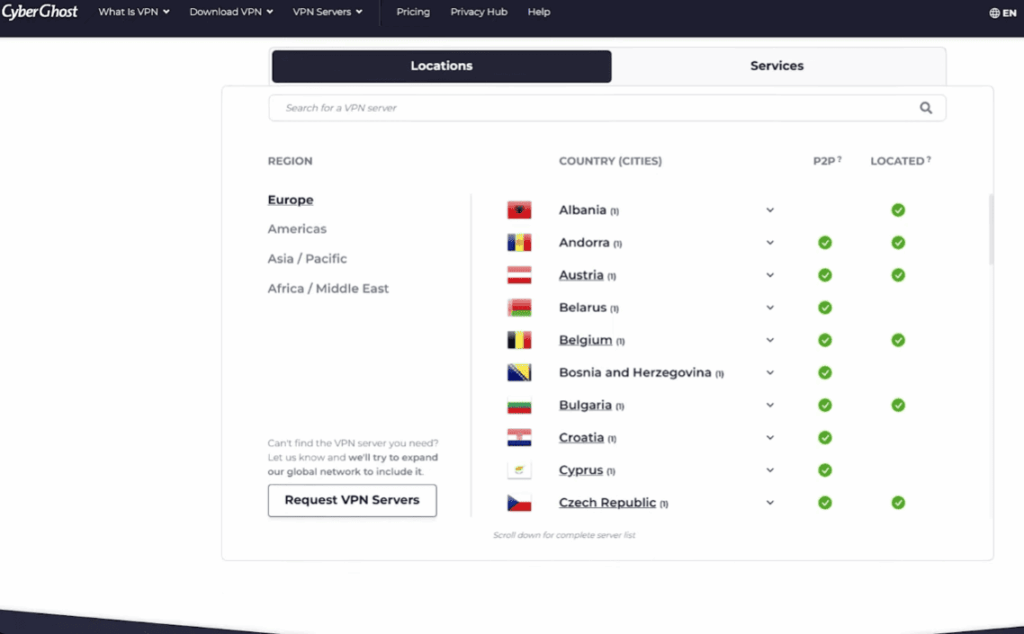
In addition to considering the type of VPN router, it is also essential to choose a reputable and reliable VPN service provider. A strong and trustworthy VPN service should offer robust data encryption, a wide range of server locations, and good customer support.
Keep in mind that regular maintenance and updates are crucial for maintaining the security and functionality of a VPN router. It is recommended to regularly check for firmware updates and monitor the performance of the VPN connection to ensure optimal protection.
Choosing the right type of VPN router can provide added layers of security and flexibility for internet users. With a wide range of options available, it is important to carefully consider individual needs and preferences before making a decision. Whether it be a router with built-in VPN software, DIY options, or pre-installed VPNs, there is a suitable option for everyone looking to enhance their online security and privacy.
Getting Started with CyberGhost VPN
Before you start configuring the VPN on your router, you’ll need to sign up for CyberGhost VPN and gather some key information required for the setup. Here’s what you’ll need:
- CyberGhost VPN Subscription: When selecting a CyberGhost VPN subscription, take the time to choose a plan that perfectly aligns with your specific needs. Once you’ve made your decision, proceed with setting up your account smoothly to enjoy secure browsing.
- Router That Supports VPN: It’s important to note that not all routers are equipped to support VPN services. Before diving into the setup process, make sure your current router is compatible. If it’s not, you might want to explore the option of investing in a new router that does support VPN functionality to enhance your online privacy.
- Router Admin Credentials: Before embarking on configuring your VPN, ensure you have easy access to your router’s admin username and password. These credentials are essential for a seamless setup process.
- VPN Configuration Information: To ensure a successful setup, CyberGhost will furnish you with vital details including server addresses, your unique username, and a special password or ‘secret’ key. These pieces of information are crucial for establishing a secure VPN connection.
Step-by-Step Router VPN Setup with CyberGhost
The setup process for CyberGhost on a router involves accessing your router’s administrative settings, configuring the VPN, and connecting to the service. It’s a fairly straightforward procedure, but if you’re not comfortable with these steps, consider consulting your router’s manual or seeking assistance from a professional. Here’s a general outline to get you started:
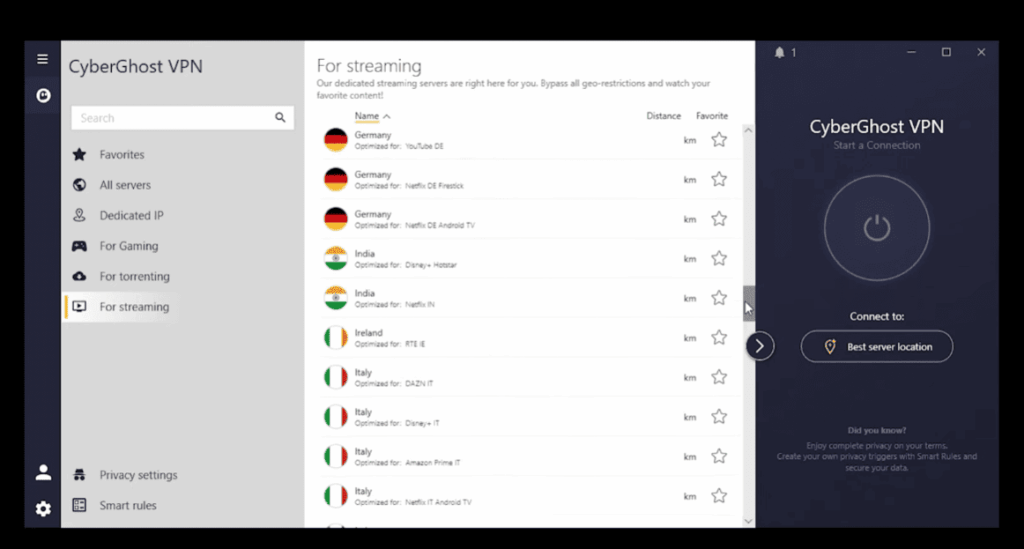
Step 1: Log into Your Router’s Admin Panel
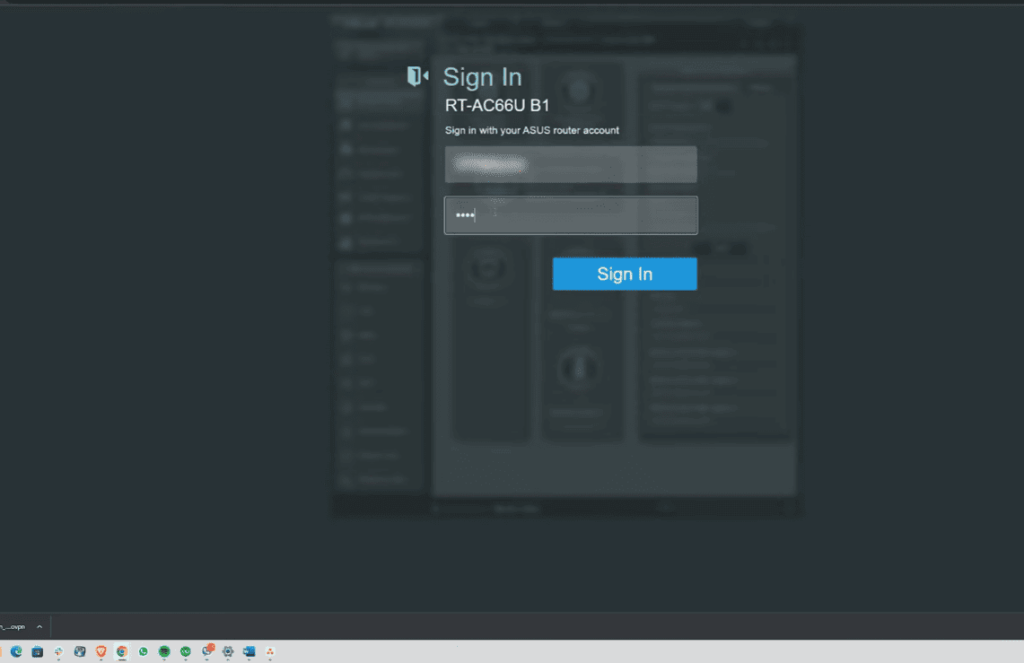
Connect your computer to your router with an Ethernet cable or via Wi-Fi. Then, log into your router’s configuration page using a browser and the router’s default IP address (usually something like 192.168.0.1 or 192.168.1.1). You’ll be prompted to enter your router’s username and password.
Step 2: Find the VPN Client Settings
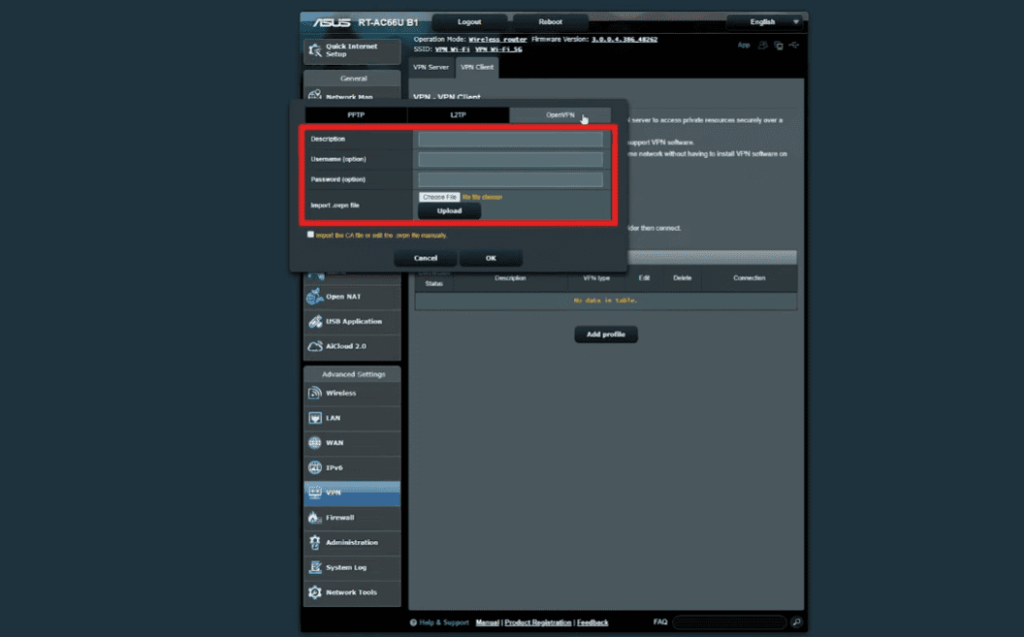
Navigate through your router’s interface to locate the VPN or ‘WAN’ (Wide Area Network) settings. Different routers may have this option listed under different menus, but common terms to look for include ‘VPN,’ ‘PPTP,’ ‘L2TP,’ ‘OpenVPN,’ or ‘SSTP.’
Step 3: Input CyberGhost VPN Details
Input the VPN server information provided by CyberGhost into your router. This typically includes the server address, your CyberGhost username, and your special password or ‘secret.’ Some routers may also require the ‘User Certificate’ and ‘CA Certificate,’ which you can download from CyberGhost’s website or request from their customer support.
Step 4: Save and Connect
Once all the information is entered, save your settings. Then, attempt to connect to the VPN via the Connect or Apply button within your router’s VPN settings (the exact wording may vary). You should see a confirmation message once the connection is established.
Step 5: Test Your Connection
To ensure your VPN is working, access a website that can display your IP address, such as ‘whatismyip.com.’ If the IP address shown is not your actual physical location, your VPN is properly configured.
Additional Tips and Benefits to make the most of VPN Setup
After successful configuration, you will enjoy the benefits of a VPN-protected network. But the process doesn’t end there – here are some additional tips to make the most of your VPN setup:
- Firmware Updates: Keep your router’s firmware up to date to ensure optimal performance and security.
- Server Whitelisting: Some devices or services might require access without the VPN. Many routers with VPN support offer the option to whitelist specific IP addresses or domains.
- Router Choice: If you’re purchasing a new router for the specific purpose of running a VPN, consider a powerful model that won’t slow down your internet speeds significantly.
- Customer Support: If you encounter any issues, don’t hesitate to reach out to CyberGhost’s support team. They are usually equipped to provide specific guidance for their VPN.
The Benefits of Using CyberGhost on your Router
CyberGhost is an industry-leading VPN service that offers security, privacy, and anonymity to its users. While most people use CyberGhost on their computers or mobile devices, it can also be installed on a router. In this section, we will discuss the benefits of using CyberGhost on your router.
Improved Security
Installing CyberGhost on your router adds an extra layer of security to your entire network. By encrypting all the traffic from every device connected to the router, CyberGhost ensures that your online activities are protected from prying eyes. This is especially useful if you have smart home devices or IoT devices that may not have built-in security measures.
Protect All Devices
When you install CyberGhost on your router, it protects all the devices connected to that router. This means you don’t have to individually install and activate CyberGhost on each device, saving you time and effort. Additionally, it allows you to use the VPN on devices that may not support traditional VPN clients, such as smart TVs or gaming consoles.
Anonymity for All
By using CyberGhost on your router, all the devices connected to it will have the same IP address and location. This adds an extra layer of anonymity as your online activities cannot be traced back to a specific device. It also prevents websites from collecting data on your browsing habits and location, providing more privacy.
Cost-Effective
Using CyberGhost on your router is a cost-effective solution for protecting multiple devices in your home or office. Instead of purchasing separate subscriptions for each device, you can simply install CyberGhost on your router and protect all devices at once. This is especially beneficial for households or small businesses with multiple devices.
Easy to Use
Installing CyberGhost on your router may seem daunting, but it is actually quite simple. Most routers have step-by-step instructions available on how to set up a VPN. Once installed, all devices connected to the router will automatically use CyberGhost without any additional effort from the user.
Possible Drawbacks To Installing A VPN On Your Router
While there are significant benefits to installing a VPN on your router, there are also some potential drawbacks that you should be aware of before making the decision. Here are some possible drawbacks to consider:
Decreased Router Performance
One downside to installing a VPN on your router is that it can potentially decrease its performance. This is because all internet traffic will now need to be encrypted and decrypted by the VPN, which can slow down your internet speed. This may not be noticeable for basic web browsing or streaming, but it could have an impact on bandwidth-intensive activities like gaming or large file downloads.
Limited Compatibility
Another potential drawback is that not all routers are compatible with VPNs. Some older models may not have the necessary processing power to handle the encryption and decryption process, while others may not have the necessary firmware to support VPN installation. It’s important to check your router’s manual or do some research online to make sure it is compatible before attempting to install a VPN.
Additional Cost
While many VPN providers offer free software for routers, there are also premium options that come at an additional cost. This means that in addition to paying for your VPN subscription, you may also need to pay for a compatible router or firmware upgrade. This could add up over time and may not be worth the cost if you only plan on using the VPN occasionally.
Potential Security Risks
Although a VPN can increase your online security, installing it on your router does come with some potential security risks. If the VPN service experiences a data breach or is compromised in any way, all of your devices connected to the router could be affected. Additionally, if you use multiple devices with different security settings on your network, installing a VPN on the router will apply the same level of security to all devices, potentially leaving some more vulnerable than others.
FAQ
Can you put CyberGhost VPN on a router?
Yes, CyberGhost VPN offers a router setup option for their users. This allows you to protect all devices connected to your home network through one central VPN connection on the router. However, it’s important to note that not all routers are compatible with CyberGhost VPN, so it’s best to check their compatibility list before attempting to install it. Additionally, there may be additional costs associated with using CyberGhost VPN on your router, such as purchasing a compatible router or firmware upgrade.
Is it legal to use a VPN?
Yes, using a VPN is legal in most countries. However, there may be some restrictions or regulations in certain countries, so it’s important to research the laws and regulations of your specific location before using a VPN. Additionally, using a VPN for illegal activities is still considered illegal and can result in consequences. It’s always best to use a VPN responsibly and within the boundaries of the law.
Can I use a VPN on my mobile device?
Yes, many VPN providers offer apps for both iOS and Android devices, making it easy to protect your online activity on your mobile device. Some VPNs may also offer router setup options for mobile devices, allowing you to secure your internet connection on all of your devices at once. It’s important to note that using a VPN on your mobile device may use more data and potentially decrease battery life, so it’s best to consider these factors before connecting to a VPN on your phone or tablet.
Conclusion Paragraph
While installing a VPN on your router does have some potential drawbacks, it can still provide many benefits in terms of online security and privacy. It’s important to carefully weigh the pros and cons before making the decision to install a VPN on your router, and to do proper research and preparation to ensure compatibility and minimize any potential issues. Ultimately, it comes down to personal preference and your specific needs and concerns when it comes to online privacy and security. So, carefully consider all factors before making a decision and choose the option that best fits your needs.