
With the rise of global streaming services like Paramount Plus, accessing your favorite shows and movies from anywhere in the world should be a breeze. But for many viewers, using a VPN to protect their online privacy has become a hurdle as it often prevents them from accessing region-locked content. If you’re currently facing issues with streaming Paramount Plus while using a VPN, fear not! There are steps you can take to troubleshoot and potentially bypass these issues. Here’s how to address Paramount Plus not working with a VPN and get back to your viewing experience.
What is Paramount Plus?
Paramount Plus is a subscription-based streaming service that offers a wide variety of movies and TV shows from the media conglomerate, ViacomCBS. It is an expansion of the previous streaming service, CBS All Access, which launched in 2014.
History of Paramount Plus
Paramount Plus, a major player in the streaming service industry, was officially launched on March 4, 2021, making its debut in the United States, Canada, and Latin America. This launch was the culmination of intensive development efforts that began back in 2019. It was then that ViacomCBS, a media conglomerate, first announced their ambitious plans to transform CBS All Access, an existing streaming service, into a more expansive platform. This strategic move was aimed at enhancing the content offering and user experience to better meet the evolving demands of viewers.
The choice of the name “Paramount Plus” was a deliberate one, intended to capture the essence of the vast and diverse library of content available from the networks and studios under the ViacomCBS umbrella. Among these are iconic names such as Paramount Pictures, known for blockbuster movies; MTV, a pioneer in music and youth culture programming; Nickelodeon, a leader in children’s entertainment; Comedy Central, home to groundbreaking comedy; BET, which celebrates Black culture; and many others. This rich collection of content was engineered to appeal to a wide range of tastes and interests, setting Paramount Plus apart in a crowded marketplace.
The rebranding to Paramount Plus and the enhanced platform reflects Viacom CBS’s commitment to competing head-to-head with other major streaming services like Netflix, Hulu, and Disney+. Each of these competitors has its unique strengths, but Paramount Plus aims to carve out its niche by leveraging the deep content library and brand equity of its constituent networks. The launch of Paramount Plus marked a significant step in the company’s strategy to capture a larger share of the streaming market and redefine entertainment for its audience.
Features of Paramount Plus
One of the key features of Paramount Plus is its extensive library of content, including over 30,000 TV episodes and thousands of movies. It also offers original programming exclusive to the platform, with new releases every month.
In addition to on-demand content, Paramount Plus also offers live streaming of local CBS channels. This feature is particularly appealing to sports fans who want to watch live events such as NFL games or major award shows like the Grammys and Oscars.
Pricing and Plans
Paramount Plus, a premier streaming service, provides viewers with two distinct subscription options tailored to diverse preferences and budgets. The first option is a limited commercial plan, priced at an affordable $5.99 per month, which allows subscribers to enjoy a wide array of content with minimal interruptions from advertisements. For those seeking an uninterrupted viewing experience, Paramount Plus offers a commercial-free plan at $9.99 per month. Despite the difference in ad presentation, both subscription plans grant access to the same comprehensive content library, ensuring that all subscribers, regardless of their chosen plan, do not miss out on any available shows or movies.
In addition to these paid subscription models, Paramount Plus caters to budget-conscious viewers with an ad-supported free version. This version provides a taste of what the platform has to offer, albeit with a more limited selection of content. It excludes live TV streaming, which is a notable feature of the paid subscriptions, but still allows users to explore a range of programming without any financial commitment. This tiered approach ensures that there is an option for everyone, from those who prioritize cost-saving to those who value a premium, ad-free entertainment experience.
Availability
Paramount Plus, a premier streaming platform, is currently accessible in a select group of countries, notably the United States, Canada, and various countries across Latin America. This strategic availability allows it to cater to a wide audience within these regions, providing a rich library of movies, TV shows, and exclusive content. It’s anticipated that Paramount Plus will broaden its reach to include additional countries around the globe in the near future, thereby expanding its global footprint and allowing more viewers to enjoy its diverse content offerings.
Meanwhile, individuals residing outside of the supported regions have the option to utilize VPN services. By doing so, they can effectively bypass geographical restrictions, enabling them to access Paramount Plus and its extensive range of entertainment options, despite not being in one of the directly supported countries.
Why do you need a VPN to stream Paramount Plus online?
Privacy and security concerns:
- Streaming services have access to sensitive personal information, such as your IP address and viewing history.
- A VPN can encrypt your internet connection, protecting your data from potential hackers or advertisers.
Bypass geo-restrictions:
- Paramount Plus may not be available in certain regions due to licensing agreements.
- With a VPN, you can connect to a server in a different location and access Paramount Plus from anywhere in the world.
Avoid ISP throttling:
- Internet Service Providers (ISPs) may intentionally slow down your connection when streaming to manage network traffic.
- Using a VPN can mask your online activities, preventing ISPs from monitoring and controlling your streaming speed.
Access to exclusive content:
- Paramount Plus may offer different content in different regions, such as shows or movies that are only available in certain countries.
- By using a VPN, you can access these exclusive titles no matter where you are located.
Protect multiple devices:
- A single VPN subscription can usually be used on multiple devices, allowing you to stream Paramount Plus on your laptop, phone, or tablet simultaneously.
- This is especially useful if you have a household with multiple people wanting to watch Paramount Plus at the same time.
Avoid location-based pricing:
- Some streaming services may offer different prices for their subscriptions depending on your location.
- By using a VPN, you can potentially save money by changing your virtual location to a region with lower subscription fees.
Overall, using a VPN for streaming Paramount Plus online can provide numerous benefits such as protecting your privacy and accessing exclusive content from anywhere in the world. It is an essential tool for any avid streamer looking to enhance their streaming experience.
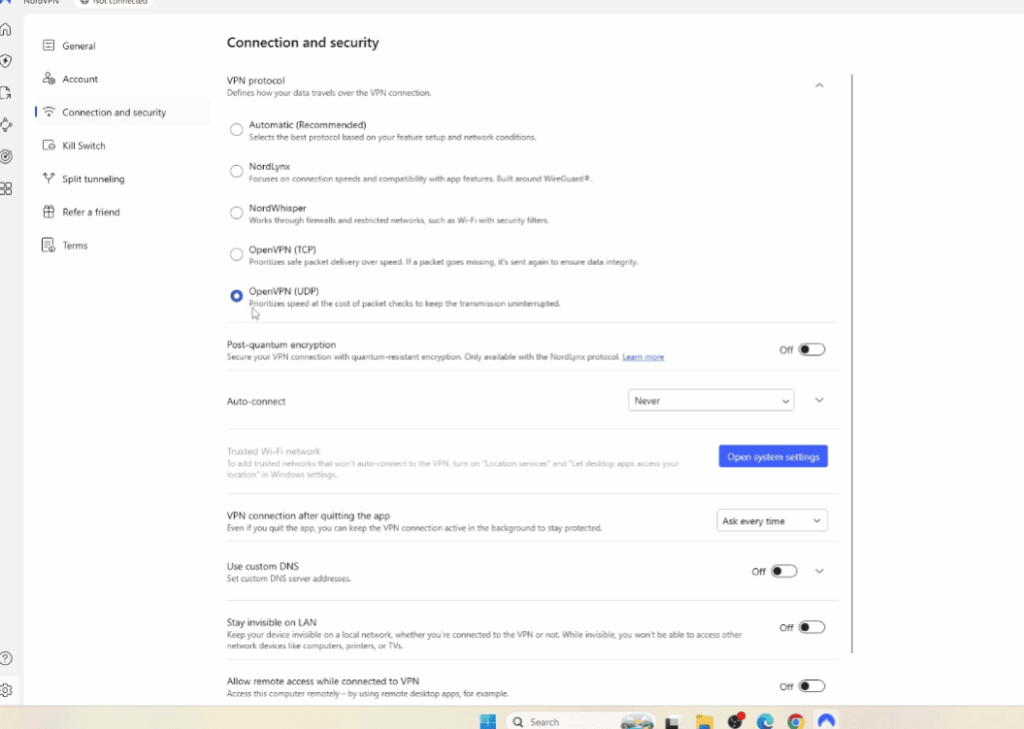
How to watch Paramount Plus with a VPN
In recent years, streaming services have become the go-to method for entertainment and content consumption. One such popular streaming service is Paramount Plus, formerly known as CBS All Access. With its wide range of shows and movies from top networks like Nickelodeon, MTV, and Comedy Central, it’s no surprise that many people are interested in accessing this platform.
However, due to geo-restrictions, Paramount Plus is only available in certain countries. This can be frustrating for viewers who want to access the platform from outside these regions. Fortunately, there is a simple solution – using a Virtual Private Network (VPN).
How does a VPN help access Paramount Plus?
Paramount Plus uses geo-blocking technology to restrict access to its content based on the user’s location. A VPN can help bypass these restrictions by masking your IP address and routing your internet connection through a server in a different location. This makes it appear as though you are accessing the platform from an approved location, thus granting you access to Paramount Plus.
Steps to watch Paramount Plus with a VPN
- Subscribe to a reputable VPN service – There are numerous VPN providers out there, but not all of them offer the same level of security and reliability. Before choosing a VPN, do your research and select one that has good reviews and supports streaming services.
- Download and install the VPN app – Once you have subscribed to a VPN, download and install their app on your device. Most providers offer apps for various devices such as smartphones, laptops, smart TVs, etc.
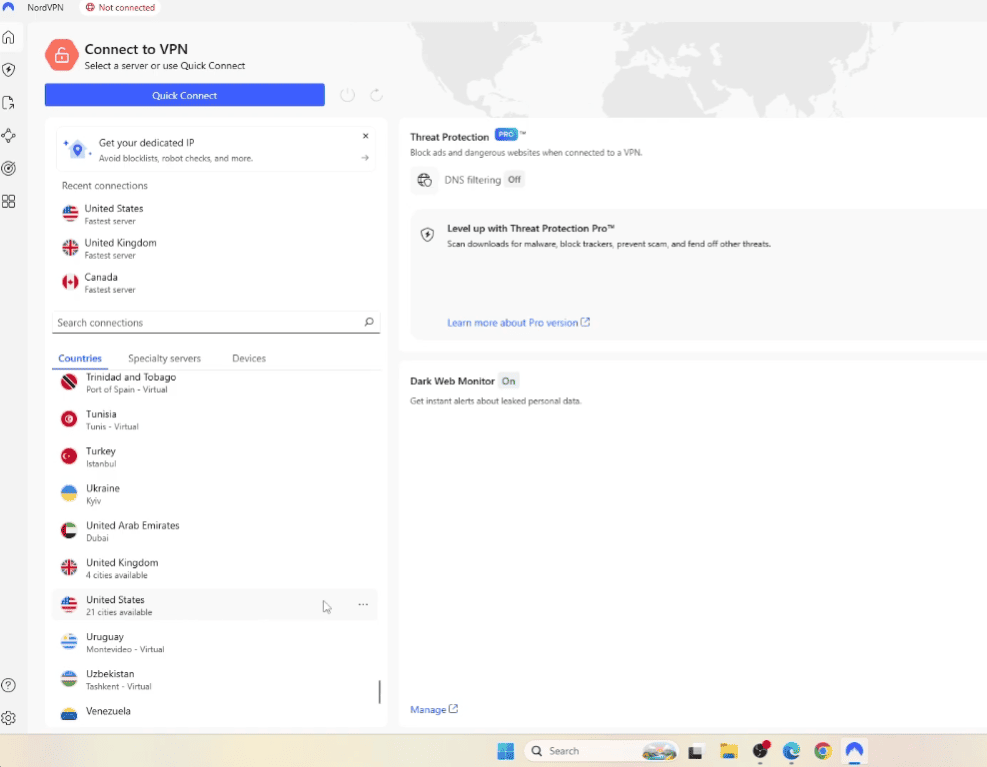
- Connect to a server in an approved location – Launch the VPN app and connect to a server located in one of the countries where Paramount Plus is available. For example, if you want to access the US version of the platform, connect to a server in the USA.
- Clear your browser’s cache and cookies – Once connected to the VPN, clear your browser’s cache and cookies. This will ensure that your browser does not reveal your actual location and allows the VPN to do its job effectively.
- Log in to Paramount Plus and start streaming – Go to the Paramount Plus website or open their app, log in with your credentials, and you should now have access to all their content!
Additional tips for using a VPN with Paramount Plus
- Choose a server location closest to you for better streaming speeds.
- Keep your VPN app updated to ensure smooth and uninterrupted access to Paramount Plus.
- Clear your browser’s cache and cookies every time you use the VPN to access Paramount Plus. This will prevent any location leaks that could lead to being blocked.
- Use a high-speed internet connection for optimal streaming experience.
- If one server location doesn’t work, try connecting to a different one until you find one that works.
- Be cautious when using free VPN services as they may not offer the same level of security and reliability as paid providers. It’s worth investing in a reputable VPN for a better streaming experience.
How to fix Paramount+ if it does not work with VPN?
Use a High-Quality VPN
The first step to try to overcome the problem is to ensure you’re using a reputable VPN service. Low-quality or free VPNs often have easily detectable IP addresses that streaming services like Paramount Plus can quickly block.
If you’re encountering this issue with a free VPN, consider upgrading to a paid service with a proven track record of unblocking streaming sites. These services invest more in ensuring that their IPs are not blacklisted and may also offer dedicated servers for streaming services.
Connect to Different Servers
Most VPNs offer multiple servers in the same region. If you find that one server is being blocked by Paramount Plus, try another. A good VPN will provide a list of servers specifically optimized for streaming, increasing the likelihood of accessing geo-restricted content without issues.
Regularly Update Your VPN Software
Streaming services are continually updating their anti-VPN technology, and VPN providers have to adapt accordingly. Make sure you’re running the latest version of your VPN app to benefit from any new features or IP addresses available to you.
Use a Static IP
Some premium VPNs offer the option to have a static IP address, which is an IP that doesn’t change. Using a static IP can be more difficult for streaming services to detect as a VPN and, therefore, less likely to be blocked. If provided, this can be a solid workaround.
Disable GPS Location Services
When using the Paramount Plus app, ensure that the GPS location services on your device are turned off. Many apps can use this feature to determine your physical location, which might interfere with your VPN’s selected virtual location.
Check for IPV6 Leaks
Sometimes, leaks in your VPN connection can reveal your real IP address. Make sure your VPN comes with protection against IPv6 leaks by toggling the feature on in the settings.
Clear Cookies and Cache
It’s possible that your browser or device’s cache has stored location data that’s contradicting your VPN’s virtual location. Clear your cookies and cache to ensure you’re starting fresh with a new session that aligns with your VPN’s settings.
Reach Out to Your VPN Customer Support
If you’ve tried all of the above and Paramount Plus is still not working with your VPN, consider reaching out to your VPN’s customer support. They might be able to provide specific instructions on how to best connect to the service, or they could even suggest a list of servers known to work well with Paramount Plus.
Consider a Smart DNS Service
Smart DNS services, although not as secure as a VPN, work by intercepting requests to a streaming service and replacing them with requests to their own servers. These servers are designed to bypass the geo-restrictions imposed by streaming services without the encryption that VPNs provide. This could be a valid workaround if you’re looking for a more direct solution to your location challenges.
FAQ
Why won’t Paramount Plus work with a VPN?
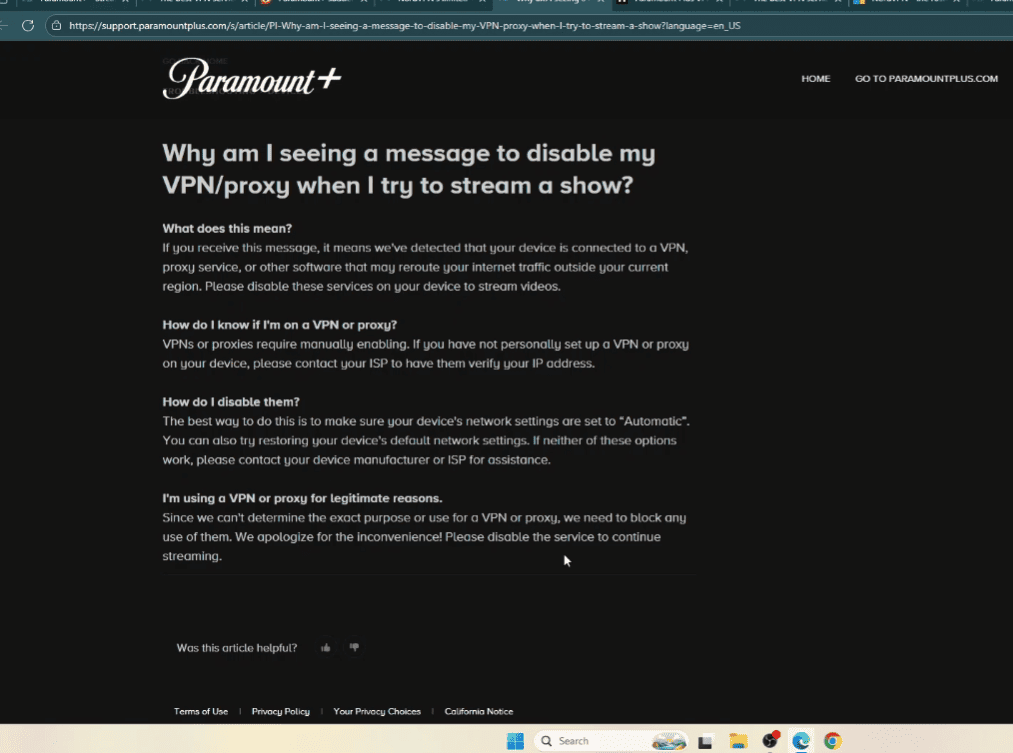
There could be a few reasons why Paramount Plus won’t work with a VPN. One possible reason is that the streaming service may have implemented measures to detect and block VPN usage.
This is because using a VPN allows users to bypass geo-restrictions and access content from different regions, which goes against the licensing agreements that streaming services like Paramount Plus have with content providers.
Another reason could be that the VPN you are using is not compatible with Paramount Plus, either due to technical issues or because it has been blacklisted by the streaming service.
It’s also important to note that using a VPN can sometimes result in slower internet speeds, which may affect your streaming experience on Paramount Plus.
How can I fix this and use Paramount Plus with a VPN?
If you are experiencing issues accessing Paramount Plus with your current VPN, here are a few steps you can try to troubleshoot the problem.
First, ensure you have a stable internet connection, as connectivity issues can disrupt streaming services. If you’re using a low-quality VPN, switch to a more reliable one to improve access to Paramount Plus. Check if your VPN offers dedicated streaming servers, which can help avoid detection. Clear your browser’s cache and cookies, which can affect VPN functionality. On mobile devices, try switching networks (Wi-Fi or cellular) to see if it helps. If issues persist, contact your VPN provider for tailored advice on accessing Paramount Plus.
How do I watch Paramount Plus through VPN?
If you’re able to successfully access Paramount Plus with your VPN, here are some tips for optimizing your streaming experience:
- Make sure that your VPN is connected to a server in the same country where Paramount Plus is available. This will ensure that you have access to the full library of content.
- Experiment with different servers and locations to find one that provides the best speeds and performance for streaming.
- If possible, use a wired internet connection instead of Wi-Fi to ensure a stable and faster connection.
- Consider using a VPN with features like split tunneling, which allows you to choose which apps or websites will go through the VPN and which can access the regular internet. This can help improve speeds when streaming on Paramount Plus.
- Keep your VPN software up to date to ensure the best functionality and security.
Can I watch NFL on Paramount Plus with a VPN?
Yes, you can watch NFL games on Paramount Plus with a VPN. However, keep in mind that the availability of NFL games may vary depending on your location and the server you are connected to. As mentioned earlier, using a VPN to access content from different regions goes against the terms of service for streaming services like Paramount Plus. Therefore, it’s important to use a reliable and compatible VPN, and to respect the licensing agreements between the streaming service and content providers.
Conclusion Paragraph
It’s understandable that you want to protect your privacy while enjoying international content, but streaming services have the right to enforce their geographic content restrictions. By using these recommended steps, you can potentially resolve the issue of Paramount Plus not working with your VPN.
However, always keep in mind that bypassing geographical restrictions could violate the terms of service of the streaming platform, potentially leading to account suspension or other penalties. Be sure to check the rules and regulations before attempting any of these workarounds.