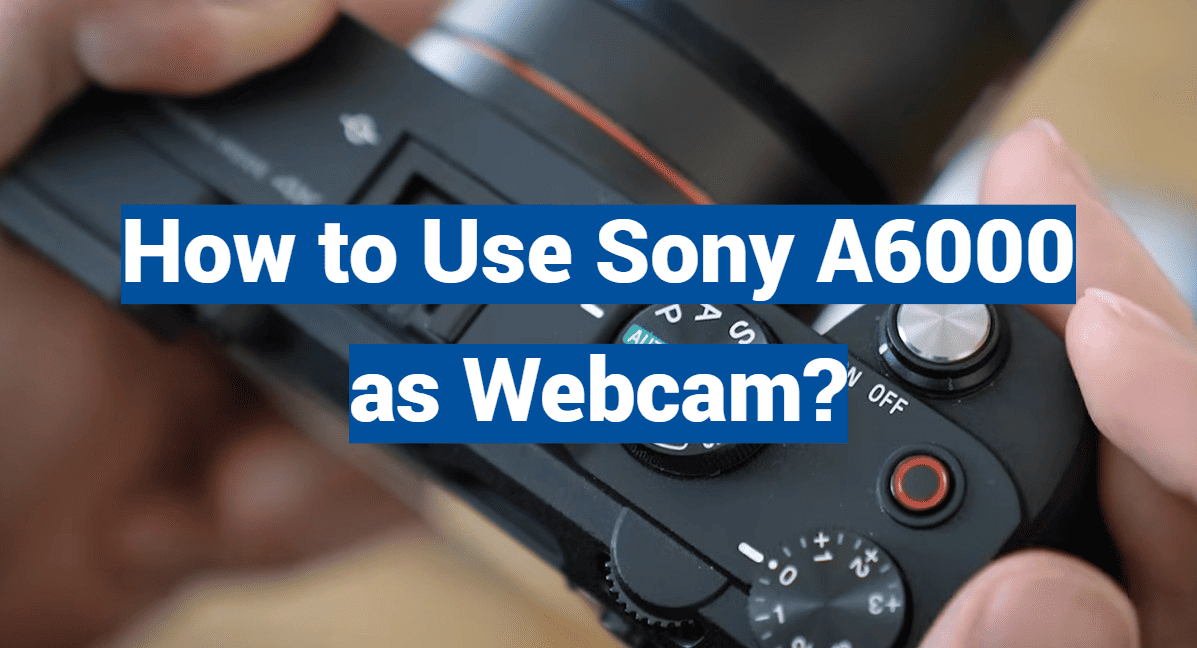
Are you tired of the grainy and pixelated video quality of your laptop’s built-in webcam? Yearning for a way to elevate your virtual meetings, live streams, and video chats to a professional level? This blog post will unlock the hidden potential of your Sony A6000 and show you how to transform it into a high-quality webcam that will leave your audience in awe. Say goodbye to unflattering angles and poor lighting, and say hello to crisp, clear, and vibrant video. Whether you’re a content creator, business professional, or simply someone who wants to impress their friends and family during virtual hangouts, it’s time to unleash the power of your Sony A6000 and take your webcam game to new heights. So, strap in and prepare to discover the tips, tricks, and step-by-step instructions on how to use the Sony A6000 as a webcam. Get ready to own every virtual moment and showcase yourself in the best light possible.
What is a Sony A6000 camera?
The Sony A6000 is a digital camera released in 2014 that offers a range of features designed to help you take high-quality photos and videos. It utilizes an APS-C Exmor CMOS sensor with 24.3 megapixels, as well as a BIONZ X image processor for fast speed and accurate color reproduction. The camera also has built-in WiFi for easy sharing of images and video, as well as a tilting LCD screen that makes it easier to take self-portraits or capture different angles. It’s lightweight and compact design makes it the perfect choice for those on the go looking for an affordable digital camera.
In addition to its impressive performance, the Sony A6000 also offers a range of creative features, including an array of Picture Effects and Creative Styles that allow you to customize your photos and videos. It also has a range of scene modes designed to help you capture the perfect shot in any situation. For those looking to dive into more advanced photography, the A6000 offers manual controls as well as RAW file support for full control over color correction and post-processing. Finally, its fast autofocus system ensures that you never miss a shot.
Whether you’re just getting started with photography or looking for an upgrade to your current gear, the Sony A6000 is a great choice for anyone looking for a versatile and affordable digital camera. With features like built-in WiFi, manual controls, RAW file support, Picture Effects and Creative Styles, and a fast autofocus system, the Sony A6000 is the perfect choice for any photographer. With its superior performance and range of creative options, it’s sure to give you stunning photos and videos that are sure to impress.
Using the Sony a6000 as a Webcam: A Step-By-Step Guide
Download the Sony Webcam App
To transform your Sony a6000 into an HD webcam, the first step is to download the official Sony Webcam app. This incredible application empowers you to convert the camera’s Live View feature into a seamless streaming output, ensuring exceptional video quality. Rest assured, the app is easily accessible and can be obtained free of charge from either the App Store or Google Play. Embrace this convenient solution to elevate your webcam experience to new heights!
Connect Your Camera to Your Computer
Once you have successfully downloaded and installed the app on your computer, you will need to connect your Sony a6000 camera using a compatible USB cable. It is important to ensure that the camera is set to Manual mode and adjusted to its highest resolution for optimal results. By taking these necessary steps, you can establish a seamless and reliable connection between your camera and computer. This will enable you to capture breathtaking images with enhanced precision, vividness, and clarity that truly showcase the capabilities of your Sony a6000 camera.
Find the Right Spot for Your Webcam
Before you start broadcasting, take some time to find the perfect spot to position your camera. To enhance your webcam experience, it’s recommended to place it at or slightly above eye level, ensuring that viewers get the optimal view. By doing so, you’ll provide them with a clear and engaging perspective. Moreover, make sure to allocate enough space around you, allowing for easy adjustments and ensuring a seamless broadcast experience. So, take a moment to find that ideal camera placement, and get ready to captivate your audience with a professional and polished presentation.
Set Up Your Webcam
Once you have successfully connected your camera to your device and located the ideal space for streaming, it’s time to configure your settings to ensure optimal results. Launch the Sony Webcam app and begin by adjusting your exposure and focus settings until they perfectly match your requirements. Experiment with these features to achieve a more natural and visually appealing look on-screen, finding the ideal balance that enhances your streaming experience. With these adjustments in place, you are now fully prepared to start your streaming journey. Congratulations on reaching this exciting milestone!
How to Improve the Image Quality of Your Sony a6000
Find an HDMI Capture Device
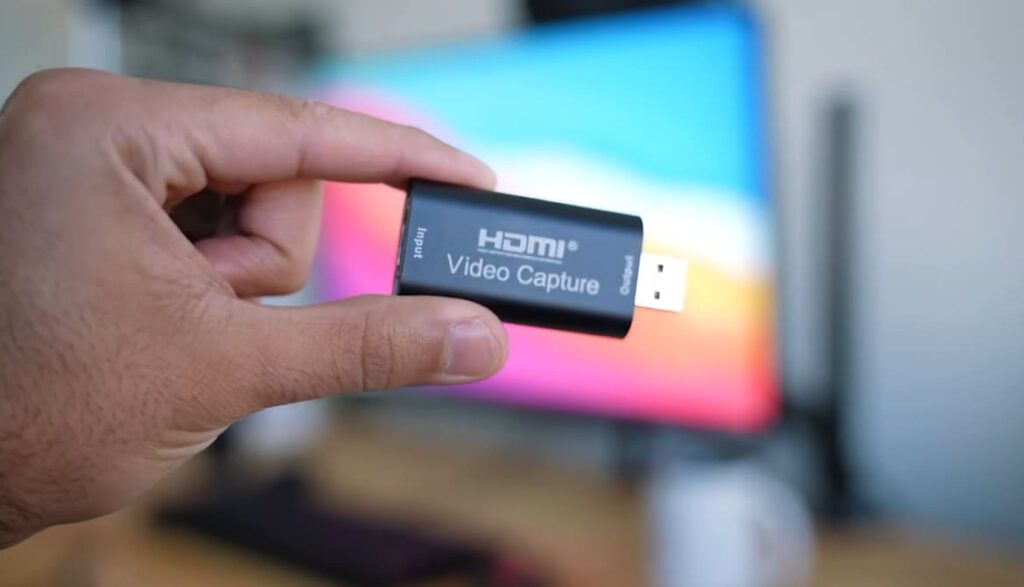
HDMI capture devices are an essential component for any content creators wanting to improve the image quality of their Sony a6000. By capturing the signal directly from the camera’s HDMI port, significantly decreases compression artifacts from videos due to playback on other platforms or recording internally onto memory cards. Additionally, using an HDMI device will allow you to record at higher resolutions and bitrate than what the camera can provide internally.
Use an External Microphone for Audio
Another way to improve the image quality of your Sony a6000 is to use an external microphone for audio capture. Using an external mic will result in clearer sound with less background noise, which will in turn make your recordings look and sound more professional. Additionally, it’s important to remember that when shooting video, audio is just as important as visuals. Investing in a quality external microphone will make your videos look and sound better than ones shot using the camera’s built-in mic.
Use Appropriate Lighting
The last way to improve the image quality of your Sony a6000 is to use appropriate lighting for each scene you’re shooting. The right lighting can make a huge difference in the look of your videos and photos. When possible, try to shoot in natural light or with LED lights that can be adjusted and focused depending on the scene you’re trying to capture. Additionally, be sure to use a diffuser if necessary to soften any harsh shadows. All these tips will help you create beautiful images that are sure to impress.
Improve Your Editing Skills
Finally, if you’re looking to improve the image quality of your Sony a6000, it’s important to also focus on improving your editing skills. Having an eye for composition and color grading can take any video or photo from average to great. Additionally, being able to use post-production software like Adobe Premiere Pro and After Effects can open up a world of possibilities for your projects. With the right editing skills, you can make your photos and videos look even more professional and polished than before.
How To Use a Sony a6000 for Streaming?
Choose the Right Settings
When using a Sony a6000 for streaming, it’s important to choose the right settings to ensure you get good-quality video and audio. For video, choose a resolution of 1080p at 30 frames per second or higher, and make sure your bitrate is set appropriately depending on your internet connection. Additionally, when recording audio use an external microphone to get the best sound quality possible.
Connect Your Camera to Your Computer
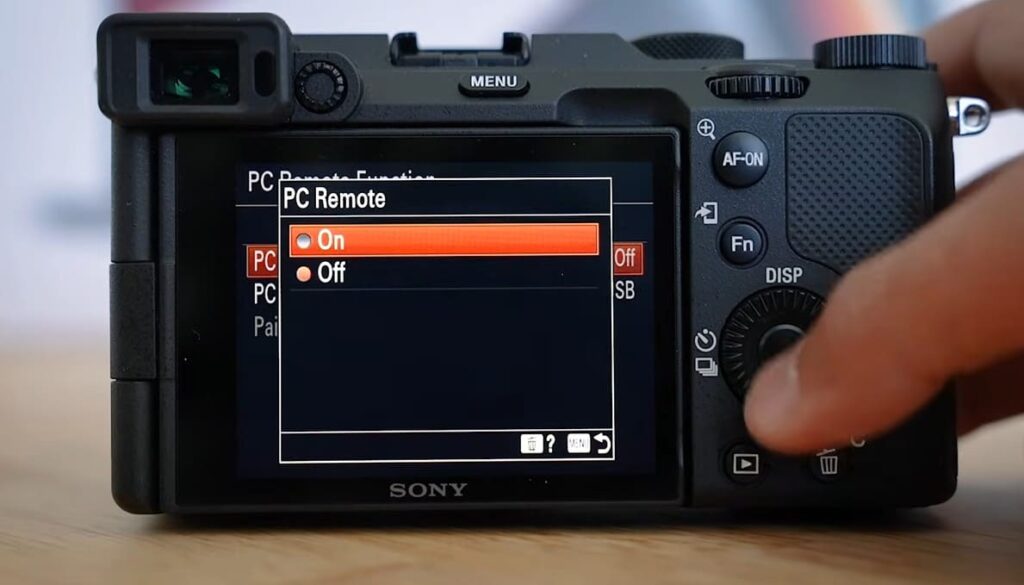
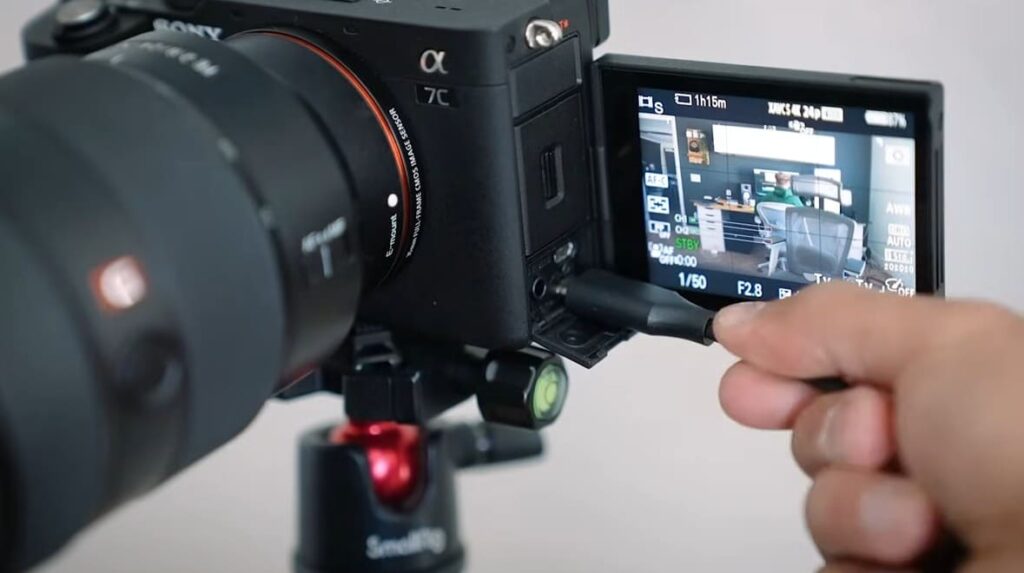
The next step is to connect your Sony a6000 camera to your computer. This can be done using either an HDMI cable or using a USB cable with an adapter. Once you’ve connected your camera, make sure it’s recognized by your computer and set up any necessary software for live streaming.
Start Streaming
Now that you’ve successfully connected your Sony a6000 to your computer and completed the setup process for the necessary software, you are all set to embark on your streaming journey! Before going live, it’s highly recommended to conduct a thorough stream test to ensure everything is working smoothly. This will allow you to make any necessary adjustments and fine-tune your streaming settings. Once you are fully satisfied and confident with the test results, it’s time to take the plunge and hit that “Go Live” button. With your trusty Sony a6000 in hand, you’ll be ready to captivate your audience and embark on an exciting streaming adventure!
Adapt to Changing Conditions
When streaming with your Sony a6000, there’s one last crucial thing to remember: you must be prepared to adapt to changing conditions. The environment you’re in can significantly affect the quality of your stream, so it’s important to be flexible. You might find yourself needing to adjust settings or even switch locations to ensure the best possible streaming experience. Moreover, it’s always a good idea to have a backup plan in case something goes wrong. Consider having a second camera or microphone readily available to ensure a smooth streaming session. Being proactive and prepared will help you overcome any challenges that may arise and deliver a top-notch streaming performance.
Use Filters and Effects
Finally, if you want to elevate your streaming experience to the next level with your Sony a6000 camera, consider exploring the world of filters and effects. By utilizing various overlays and color adjustments, you can effortlessly enhance the visual appeal of your stream and give it a more professional touch. Moreover, numerous streaming services provide built-in transition effects that can further elevate the overall quality and aesthetics of your stream. With the right selection of filters and effects, you have the power to create a streaming experience that is truly unique and captivating, leaving a lasting impression on your viewers.
FAQ
Does the Sony a6000 have clean HDMI?
Yes, the Sony a6000 has a clean HDMI output. This means that it provides a high-quality signal for recording images and videos to external devices like computers or monitors, allowing for seamless editing and sharing. With clean HDMI, you can eliminate any noise from the signal, which proves to be advantageous when capturing videos in low-light conditions or when recording audio simultaneously. This feature enhances the overall experience and ensures superior video quality and clarity.
What lenses are available for the Sony a6000?
The Sony a6000 is compatible with a wide range of lenses, including E-Mount and A-Mount lenses. There are several types available, such as zoom lenses, wide-angle lenses, macro lenses, and portrait lenses. Some popular examples include the Sony SELP1650 power zoom lens, the Sony SEL35F18 35mm f/1.8 prime lens, and the Sony SEL1018 10-18mm wide-angle zoom lens. You can even add third-party lenses to the camera using an adapter. With these options, you’ll have plenty of choices for capturing stunning images and videos with your Sony a6000.
How do I connect my Sony a6000 to my cam link?
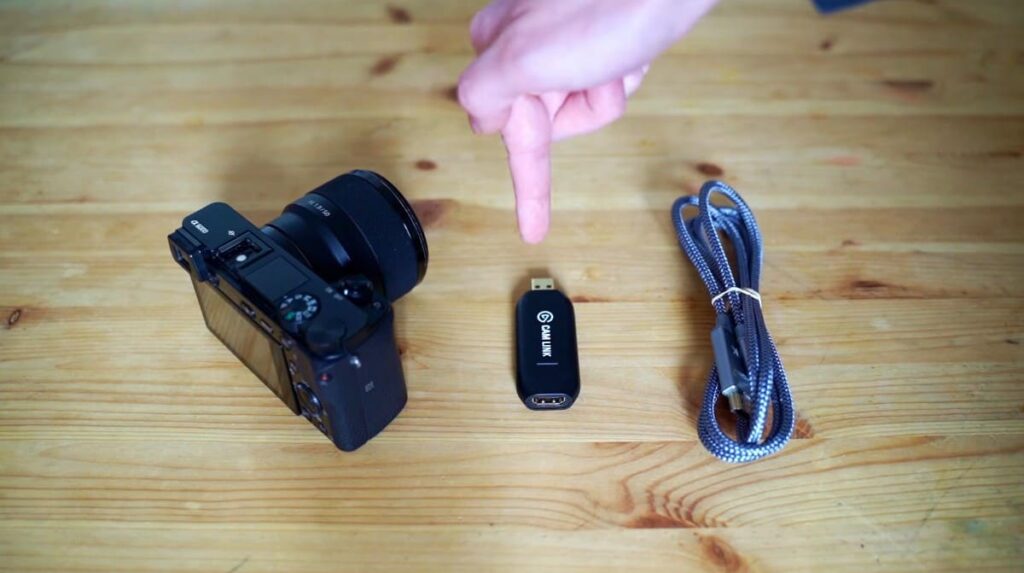
Connecting your Sony a6000 to your Cam Link is easy. You’ll need two cables: an HDMI cable and a micro USB cable. First, plug the HDMI cable into the camera’s micro-HDMI port and the other end into your Cam Link. Then, connect the micro USB cable from your camera’s Micro-USB port to an available USB port on your computer. Finally, turn on the camera and make sure it is set to output via HDMI. After that, you’ll be able to view and record with your Sony a6000 on your Cam Link device!
What are the advantages of using an external microphone with the Sony a6000?
Using an external microphone with the Sony a6000 offers several benefits. First, recording with an external microphone gives you more control over the sound quality and direction of the audio. You can also fine-tune the settings for optimal performance in any given environment. Additionally, using a directional mic helps to reduce background noise and enhances clarity during recordings. Finally, since the camera’s built-in microphones are limited in their capabilities, having an external mic gives you more options for capturing sound and ensures better-quality audio.
Is the Sony a6000 waterproof?
No, the Sony a6000 is not waterproof. While many of the newer Sony cameras have water-resistant features, this specific model does not offer any protection against moisture or wet conditions. If you need a camera that can withstand such environments, you may want to consider other models such as the Olympus Tough TG-5 or the Panasonic Lumix TS30. These cameras are specifically built with rugged, waterproof construction, ensuring their durability even in extreme weather conditions. Moreover, they offer a range of advanced features that enable you to capture stunning images and videos, regardless of the challenging environment you may find yourself in.
What is the battery life of the Sony a6000?
The Sony a6000 boasts an exceptional battery life, allowing you to capture up to 400 shots per charge. With such impressive longevity, you can confidently focus on your photography without the constant concern of running out of power. Moreover, this camera features a reliable rechargeable lithium-ion battery that can be effortlessly replaced or recharged as needed. This convenient feature makes the Sony a6000 an ideal companion for travel or extended photo shooting sessions, granting you the freedom to explore and create without the interruption of constantly checking your battery levels.
What are some tips for getting better video quality with the Sony a6000?
To get the best video quality with the Sony a6000, it’s important to use the right settings. When recording video, make sure you set your camera to shoot in HD resolution or higher for optimal results. Also, enable manual focus and exposure control so that you can manually adjust settings for better clarity and color accuracy. Additionally, make sure you use a tripod or gimbal for stability. Finally, use an external microphone to capture high-quality audio and reduce background noise. Following these tips will help ensure that you get the best possible video quality with your Sony a6000.
What is the maximum ISO of the Sony a6000?
The Sony a6000 is equipped with an impressive maximum native ISO of 25,600, allowing you to effortlessly capture breathtaking images and videos even in challenging low-light conditions. This remarkable feature is made possible by the camera’s advanced Exmor CMOS sensor, which ensures outstanding image quality while minimizing noise. But that’s not all! If you find yourself needing even greater light sensitivity for your shots, you have the option to set a maximum ISO of 51,200. With this level of control at your fingertips, you can confidently explore and capture stunning moments in any environment, no matter how dimly lit it may be.
What is the shutter speed range of the Sony a6000?
The Sony a6000, a versatile camera, offers a wide shutter speed range of 30 seconds to 1/4000 second, providing extensive control for capturing both photos and videos. With this range, you can freeze fast-moving subjects with precision, experiment with motion blur for creative effects, and confidently shoot in low light conditions without the worry of blurry images. Furthermore, the camera’s bulb mode shooting feature empowers you to effortlessly capture even longer exposures, giving you the freedom to explore and unleash your creativity in various lighting scenarios.
What accessories are available for the Sony a6000?
The Sony a6000 is compatible with several accessories that help enhance your shooting experience. These include lens filters, external monitors, flash units, and remote triggers. You can also find cases and straps for transporting the camera safely and securely. Additionally, there are adapters available that allow you to mount third-party lenses to the a6000, giving you even more creative options when shooting. With these accessories, you’ll be able to tailor your camera setup so that it best suits your photography needs.
What is the maximum video resolution of the Sony a6000?
The Sony a6000, a remarkable camera, is capable of capturing stunning videos with full HD resolution up to 1920 x 1080 pixels (1080p). This means that every frame of your videos will be filled with sharpness and intricate details, ensuring a captivating viewing experience on any device, ranging from smartphones to smart TVs.
But that’s not all! The Sony a6000 offers even more flexibility when it comes to video recording. It allows you to choose from other resolutions as well, including 1280 x 720 (720p) and 640 x 480 (VGA), catering to your specific needs and preferences. Moreover, it supports multiple video formats such as AVCHD and XAVC S, giving you the freedom to select the format that best suits your project.
With its wide array of video resolution options and exceptional performance, the Sony a6000 is undoubtedly a versatile camera that empowers you to bring your creative visions to life with precision and clarity.
What is the autofocus speed of the Sony a6000?
The Sony a6000 features an impressive autofocus speed that allows it to lock onto subjects quickly and accurately. In good lighting conditions, the camera can focus in as little as 0.06 seconds, making it an excellent choice for capturing fast-moving subjects with ease. Furthermore, this camera features 179 autofocus points that cover the majority of your frame, ensuring sharp images throughout. With such impressive performance, you can be sure that no moment will go uncaptured when shooting with the Sony a6000.
What lenses are compatible with the Sony a6000?
The Sony a6000 is compatible with E-mount lenses, making it possible to capture stunning images and videos with various focal lengths. The camera comes bundled with a 16-50mm F3.5-5.6 OSS lens, providing you with all the basic features you need to get started. But that’s not all! You can also find numerous other lenses designed specifically for the Sony a6000, such as macro lenses, wide-angle lenses, and portrait lenses. With so many options available, you’ll be able to tailor your setup in order to capture whatever type of image or video footage you need.
Conclusion
So, use a Sony A6000 as a Webcam to make video calls on Skype, Zoom or any other platform that supports USB webcams. This is a great way to save money and have an all-in-one solution for both photography and video calling needs. As long as you have a good internet connection, the Sony A6000 will provide clear and crisp images with excellent audio quality. Additionally, you can also use it to capture precious moments with family and friends. With the Sony A6000’s versatile usability, you can get the most out of your investment. So, if you’re looking for an affordable solution that offers great quality without breaking the bank, then the Sony A6000 is definitely worth considering!