
Virtual Private Networks (VPNs) are an integral part of modern internet security and privacy. They act as a secure tunnel for your online traffic, protecting your data from prying eyes and bypassing content restrictions. However, if you have experienced the error message “The VPN server did not respond” or if your VPN appears to be functioning improperly due to control packet issues, it can be frustrating and potentially compromise your online security.
This guide is designed to help you troubleshoot and resolve such issues, ensuring that your VPN connection is both secure and functional. Here, we will break down the possible causes behind server non-responsiveness to control packets, and provide detailed steps to rectify the problem.
Symptoms of Non-Responsive VPN Servers
Before diving into troubleshooting methods, it is important to identify if your VPN server is indeed unresponsive to control packets. Some common symptoms include frequent disconnects from the VPN, slow connection speeds, and an inability to access certain websites or services while connected to the VPN. If you are experiencing any of these issues, there is a high chance that your VPN server is not responding to control packets.
Frequent disconnects from the VPN can be caused by a variety of factors, but one common cause is when the VPN server does not receive control packets from your device. This can result in an unstable connection and constant interruptions while using the VPN. Additionally, slow connection speeds may also be a sign of non-responsive servers as control packets are essential for maintaining a strong and speedy connection.
Slow connection speeds can be a frustrating and inconvenient issue, especially when trying to access content that is restricted in your location. If you are experiencing slow speeds while connected to your VPN, it could be due to control packet problems. Lastly, an inability to access certain websites or services while connected to the VPN may also indicate non-responsive servers. This is because these websites or services may require control packets to be exchanged, and if the server is not responding to them, you will not be able to access the content.
Most Common VPNs Problems And Solutions
There are a few common reasons why your VPN may fail to connect:
- Internet Connection: The first and most obvious reason could be that your internet connection is not working properly. Make sure you have a stable internet connection before trying to connect to your VPN.
- Server Issues: Sometimes, the server of your chosen VPN may be experiencing problems. In such cases, you can try connecting to a different server or contact your VPN provider for assistance.
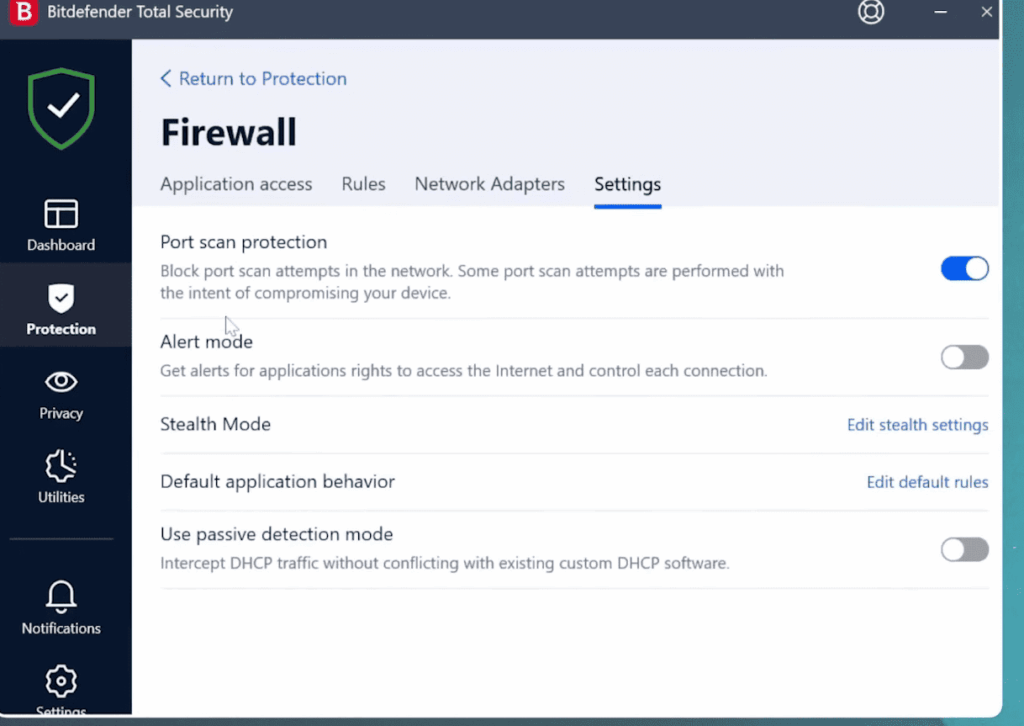
- Firewall: If you have a firewall enabled on your device, it may be preventing the VPN from establishing a connection. Try disabling your firewall temporarily and see if the issue is resolved.
- Outdated VPN Client: It’s important to keep your VPN client up-to-date as new updates often include bug fixes and security patches. Make sure you have the latest version of your VPN client installed.
- Incorrect Login Credentials: Double-check your login credentials to ensure they are correct. If you’re using a shared account, make sure someone else hasn’t changed the password.
- Conflicting Software: Certain programs or applications on your device may conflict with your VPN, causing connection issues. Try closing any unnecessary programs and see if that helps.
- DNS Leaks: DNS leaks can occur when your device uses its default DNS instead of the VPN’s encrypted DNS. This may expose your online activities and defeat the purpose of using a VPN. Make sure your VPN has built-in protection against DNS leaks.
Troubleshooting and Fixing VPN Control Packet Issues
Step 1: Diagnose the Problem
The first step to fixing any issue is to diagnose its root cause. Here are some initial steps to understand what’s happening:
- Try using the VPN with a different internet connection. If it works fine, the issue is likely with your primary connection.
- Check for any announced service maintenance from the VPN provider’s end. Sometimes, the server could be temporarily down for maintenance.
- Test the VPN on multiple devices. If the issue is device-specific, there might be a problem with the client settings or application.
Step 2: Verify Your VPN Client Settings
Ensure that your VPN client is configured correctly:
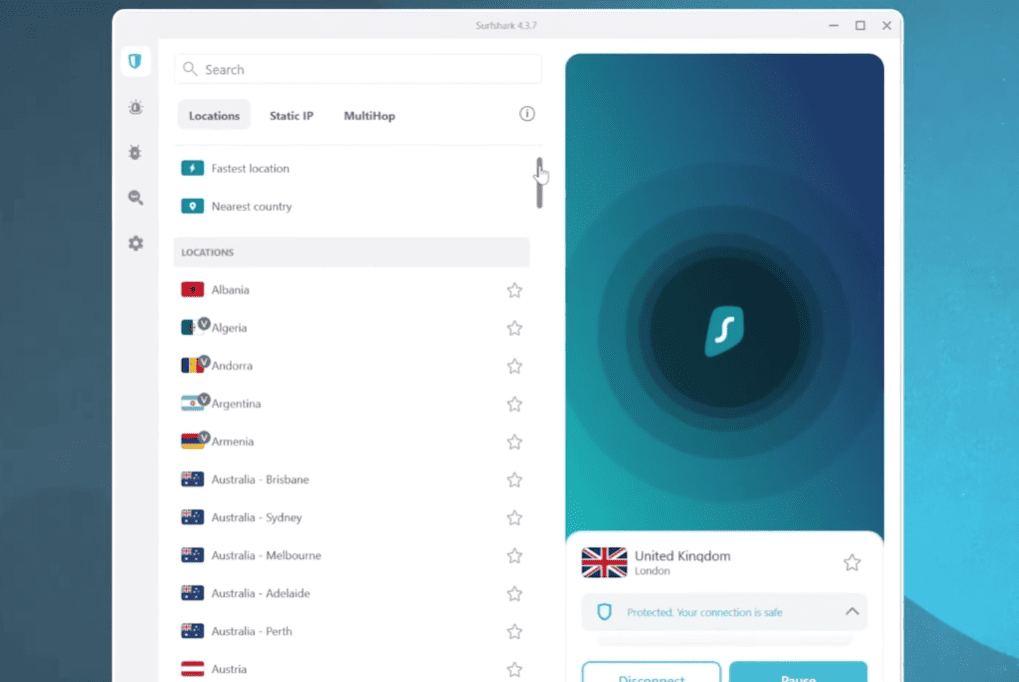
- Ensure that you are utilizing the accurate server address and that any modifications made by your VPN provider to the server are correctly updated in your client settings. This step is crucial to maintain a seamless connection.
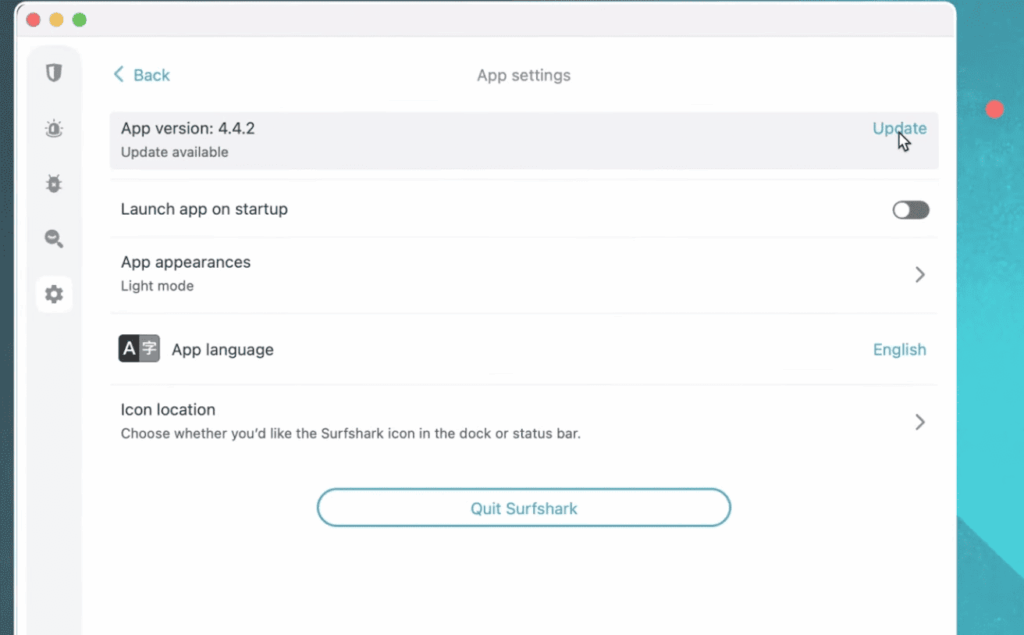
- Regularly check for updates on your VPN client software to avoid potential issues caused by outdated versions. Bugs in outdated software can sometimes trigger control packet problems.
- Double-check and validate your login credentials meticulously. Even the slightest typo can lead to authentication failure, causing associated control packet errors. Paying attention to this detail can prevent connectivity disruptions.
Step 3: Look into Local System Configurations
Inspect your local settings to ensure they are not the culprit:
- Your system’s firewall or antivirus could be interfering with the VPN client. Temporarily disable them to see if the control packet issues are resolved.
- Make sure that you have sufficient network permissions and that your user account isn’t restricted from using the VPN.
- Route conflicts on your local network (e.g., multiple devices trying to use the same IP address) can disrupt the VPN connection. Resetting network configurations may help in this case.
Step 4: Adjust Server Configurations
If you have access to the VPN server settings, consider the following:
- Make sure that the VPN server has sufficient resources to effectively manage the number of simultaneous connections it receives, ensuring smooth operation without any performance bottlenecks.
- Take a second look at the configuration of the VPN server application to verify that it is properly configured to handle control packet traffic, guaranteeing secure and reliable data transmission.
- Thoroughly examine the server’s system logs for any error messages that align with the times when the control packet issues occurred, enabling prompt identification and resolution of any underlying problems.
Step 5: Temporarily Change VPN Protocols
Sometimes, a specific VPN protocol can lead to control packet issues. Switching protocols could provide a temporary solution:
- One useful tip when troubleshooting non-responsive server issues with VPN clients is to experiment with various protocols available, such as OpenVPN, L2TP, and PPTP. Trying out different protocols can provide insights into whether the problem is related to a specific protocol choice.
- Should you find success with a different protocol, this method can effectively pinpoint the root cause of the issue, paving the way for a more sustainable and effective solution.
Step 6: Get in Touch with Your VPN Provider
If none of the steps above resolves the issue, it’s time to reach out to your VPN provider:
- Reach out to your provider’s dedicated customer support team and provide them with a comprehensive overview of the steps you have already taken along with the outcomes you have observed.
- It’s worth noting that providers typically offer a range of support options, such as real-time chat support, community forums where users can collaborate, and assistance via email, all geared towards troubleshooting technical problems effectively.
- Additionally, the support team may have the capability to conduct in-depth server-side diagnostics to uncover any underlying issues that may not be readily apparent to you as an end user.
Most Reliable VPNs to Use
1. ExpressVPN — The Most Reliable VPN for Streaming Access & Security
ExpressVPN is a highly recommended VPN service that offers top-notch security and unlimited bandwidth for its users. With over 2000 servers in more than 90 countries, ExpressVPN provides fast and reliable access to streaming services such as Netflix, Hulu, and Amazon Prime.
In addition to its impressive streaming capabilities, ExpressVPN also boasts strong encryption protocols, including OpenVPN, IKEv2, and L2TP/IPsec. It also offers a kill switch feature to ensure that your internet connection is always secure.
Moreover, ExpressVPN has a strict no-logs policy, meaning your online activities are not tracked or stored. This makes it an ideal choice for users who prioritize privacy and security.
With its user-friendly interface and excellent customer support, ExpressVPN is a top choice for those looking for a reliable and secure VPN service.
2. NordVPN — The Most Reliable VPN for Multiple Device Connections
NordVPN is another popular option that offers a wide range of servers and advanced security features. With over 5000 servers in more than 60 countries, NordVPN allows users to connect multiple devices simultaneously without compromising on speed or performance.
One of NordVPN’s most notable features is its double encryption, which adds an extra layer of security to your internet connection. It also offers specialty servers for specific purposes such as P2P file sharing and Onion over VPN.
In addition to its impressive security features, NordVPN has a strict no-logs policy and offers 24/7 customer support.
3. CyberGhost — Avoid Slow Speed With Multiple IP Addresses to Choose From
CyberGhost is a renowned VPN service that offers fast and reliable connections for streaming and browsing needs. With over 7000 servers in more than 90 countries, CyberGhost ensures that its users have access to unlimited bandwidth and high-speed internet.
One of the standout features of CyberGhost is its option to choose from multiple IP addresses, allowing users to switch between different locations easily. This not only adds an extra layer of security but also helps in avoiding slow speeds caused by overcrowding on a single server.
CyberGhost also offers strong encryption protocols, including OpenVPN and IKEv2, as well as a strict no-logs policy to protect your privacy.
4. Private Internet Access (PIA) — Protect Your Privacy From Ads, Trackers, and Malware With MACE
Private Internet Access (PIA) is a reliable VPN service that prioritizes user privacy and security. With over 3300 servers in more than 40 countries, PIA offers unlimited bandwidth and impressive speeds for its users.
One of PIA’s unique features is MACE, which acts as an ad blocker, tracker blocker, and malware protection all in one. This feature helps in keeping your online activities private and secure.
In addition to its robust security features, PIA also offers a strict no-logs policy and allows up to 10 simultaneous connections per account. These are just a few of the most reliable VPN services available on the market. Each one offers unique features and benefits, so it’s important to choose one that best fits your specific needs. With a reliable VPN, you can ensure that your online activities are kept private and secure while also gaining access to restricted content from around the world.
5. Surfshark — The Most Reliable VPN for Unlimited Device Connections
Surfshark is a relatively new VPN service, but it has already gained a reputation for being one of the most reliable options on the market. With over 1700 servers in more than 60 countries, Surfshark offers fast and secure connections for streaming, browsing, and torrenting.
One of its standout features is the ability to connect an unlimited number of devices simultaneously, making it a top choice for families or individuals with multiple devices.
Surfshark also offers strong encryption protocols, a strict no-logs policy, and built-in ad and malware blockers for added security.
With these five reliable VPN options to choose from, you can find the perfect one to meet your needs and ensure your online privacy and security. Don’t compromise on your internet safety – invest in a trusted VPN service today. So, make sure to do thorough research and choose the one that best fits your needs and budget.
FAQ
Are Free VPNs Reliable?
While free VPNs may seem like a tempting option, especially when trying to save money, it’s crucial to carefully weigh the advantages and disadvantages. While some free VPN providers have built a good reputation, it’s essential to recognize that many of these services come with potential risks that could jeopardize your online privacy and security. Therefore, when considering using a free VPN, it’s wise to conduct thorough research to ensure you select a provider that prioritizes both reliability and safeguarding your sensitive information.
What are the Risks of Using Free VPNs?
One significant risk associated with using free VPN services is the potential for them to log and sell your personal data to third parties, compromising your privacy and security online. This practice directly contradicts the core objective of utilizing a VPN, which is to safeguard your online privacy. Moreover, free VPNs might offer a limited selection of servers, resulting in slower connection speeds, and they may lack efficient customer support measures to address any concerns or issues that users encounter.
What should I look for in a reliable VPN?
When selecting a reliable VPN service, it’s crucial to consider various factors. Firstly, check for a provider with a stringent no-logging policy to prioritize your privacy. Additionally, opt for one that employs robust encryption protocols to safeguard your data. In addition, look for a VPN service that offers a diverse range of servers in multiple locations to ensure flexibility and accessibility. Fast connection speeds and dependable customer support are further key aspects to guarantee a seamless and satisfactory VPN experience.
Are Paid VPNs Always Better?
While paid VPNs may offer more robust features and better overall reliability compared to free VPNs, the level of security and privacy protection can vary depending on the specific provider you choose. Some paid VPN services may still pose risks similar to free VPNs, like logging and potentially selling user data to third parties. Therefore, it is crucial to thoroughly research and compare different VPN providers, considering factors such as encryption protocols, server locations, and privacy policies, before making an informed decision on which VPN service best suits your needs.
What Causes VPN Issues?
There are various factors that can lead to VPN issues. These may include internet connection problems like network congestion or instability, server overload due to high traffic, and incompatible device settings such as outdated software or configuration errors. It is crucial to thoroughly investigate and troubleshoot these potential causes before jumping to conclusions about the VPN being the root of the problem. This proactive approach can help identify and resolve issues effectively, ensuring a smoother and more secure VPN experience.
What’s the Most Common VPN Problem?
The most common VPN problem is slow or inconsistent connection speeds. This can be caused by various factors, such as server overload, internet congestion, or a weak internet connection on the user’s end. Slow speeds can significantly impact the overall VPN experience and may even hinder one’s ability to perform specific tasks like streaming or downloading large files. However, with proper research and selecting a reputable VPN provider with robust servers and fast speeds, this common VPN problem can easily be avoided. Overall, it is crucial to carefully evaluate the features and potential risks of different VPN services before making a decision to ensure a reliable and secure online experience.
Conclusion Paragraph
By following this troubleshooting guide to address control packet issues with your VPN, you can enjoy a secure and reliable internet connection. However, fixing the issue is only the first step. Regular maintenance of both your client and server configurations is crucial to keeping your VPN connection trouble-free.
Periodically check for software updates, ensure that your settings are up to date, and stay informed about any VPN server or protocol changes your provider suggests. Remember, your VPN’s efficacy in shielding your online activity is only as good as its operational health.
For continued stability, consider using a reputable VPN provider that offers transparency, prompt support, and robust maintenance practices. With a little diligence and the right approach, you can easily fix control packet issues and maintain a robust connection that keeps you safe and secure online.