
Did you know that some projectors generate over 40 decibels of operational sound? That’s louder than a quiet library and can easily disrupt your viewing pleasure.
Modern entertainment systems often rely on these devices to create stunning visual displays. They transform ordinary walls into cinema-quality screens for immersive gaming and movie nights. However, the cooling fans and internal mechanisms necessary for operation produce audible distractions.
This sound becomes particularly noticeable during quiet scenes in films or crucial moments in professional presentations. Understanding how to manage these acoustic emissions is essential for optimizing your setup.
Fortunately, technological advancements have significantly reduced the auditory output of contemporary models. While complete silence remains unrealistic due to cooling requirements, modern engineering offers impressive solutions.
This guide explores practical approaches to creating a more serene viewing environment. You’ll discover how to enjoy crystal-clear visuals without compromising your auditory experience.
Key Takeaways
- Projector cooling systems inevitably generate some operational sound during use.
- Excessive noise can detract from movie immersion and presentation professionalism.
- Modern technology has made significant progress in reducing auditory disruptions.
- Understanding sound sources helps in selecting quieter equipment.
- Multiple practical solutions exist for minimizing acoustic interference.
- Balancing cooling needs with quiet operation is achievable with proper knowledge.
- Optimizing your setup enhances both entertainment and professional applications.
Understanding Projector Noise and Its Impact
Behind every crystal-clear image from your projector lies a battle against intense heat, a battle fought by cooling systems that produce audible feedback. This sound is not a flaw but a byproduct of essential internal processes. Recognizing its sources is the first step toward creating a truly immersive viewing space.
The Role of Cooling Fans and Heat Dissipation
The primary source of audible sound comes from the cooling fans. These components work tirelessly to move air and manage the significant heat generated by the bright light source and fast-moving internal parts. A brighter image often means more heat, requiring a more powerful fan and faster airflow.
Modern projectors, like those using DLP technology, contain millions of tiny mirrors and a spinning RGB color wheel. These delicate components must be kept cool to prevent warping and ensure optimal performance. The constant operation of the cooling fans is therefore non-negotiable for the projector’s health.
Common Sources of Unwanted Noise
While the fan is the main contributor, other components also add to the overall acoustic profile. Understanding these helps pinpoint disruptions in your home theater.
- Cooling Fans: The dominant source, with speed directly affecting volume.
- Light Source: Traditional lamp-based models can produce a faint electrical hum.
- Mechanical Parts: Motorized lenses for focus or zoom adjustments create subtle whirring.
- Build Quality: Inadequate internal sound dampening can amplify even minor operational sounds.
Each of these elements plays a role. A well-designed projector minimizes their impact for a quieter experience.
What Is Noise Reduction on a Projector
The quest for cinematic immersion at home often faces one persistent challenge: audible distractions from the equipment itself. Manufacturers have developed sophisticated approaches to address this issue.
Definition and Importance for Home Cinema
This technology refers to various design features and operational modes that minimize audible output. It includes smart cooling systems that adjust fan speed based on temperature monitoring.
Component selection also plays a crucial role. Engineers choose parts that generate minimal air turbulence and use motors that avoid annoying whining sounds.
Sound measurement uses decibels (dB), with lower numbers indicating quieter operation. Understanding these values helps choose the right equipment for your space.
| Projector Type | Typical Noise Range | Comparison to Everyday Sounds |
|---|---|---|
| Home Theater Models | 25-35 dB | Whisper to quiet library |
| Portable Projectors | 28-38 dB | Laptop fan to refrigerator hum |
| Business Projectors | 30-40 dB | Quiet conversation to background music |
“Effective acoustic management transforms technology from a distraction to an invisible enhancement of the cinematic experience.”
Modern 4K models operate between 24-32 dB, significantly quieter than normal conversation (60-70 dB). This ensures your movie dialogue remains clear and uninterrupted.
The importance extends beyond comfort. It creates true immersion where the technology disappears, letting you focus entirely on the content.
Implementing Noise Reduction Techniques
Your projector’s quiet operation begins long before you press the power button. Smart placement and regular care create the foundation for peaceful viewing sessions. These practical steps ensure your equipment performs optimally without distracting sounds.
Setup and Maintenance Practices
Proper setup prevents many acoustic issues. Always allow at least 50cm of clearance around your projector for adequate ventilation. Avoid soft surfaces like rugs or beds that block air vents.
Regular maintenance keeps your system running quietly. Dust accumulation forces the fan to work harder, increasing volume. Clean vents weekly using a soft, dry cloth or compressed air.
- Check specifications if your new projector seems loud
- Maintain room temperature between 68-77°F (20-25°C)
- Ensure underside clearance using the projector’s feet
Consistent cleaning prevents dust buildup that impacts performance. This simple maintenance extends your equipment’s lifespan while keeping operation serene. Proper ventilation and clean space around your projector make a noticeable difference.
Optimizing Your Projector Setup for Reduced Noise
Smart positioning and built-in features offer simple solutions for quieter movie nights. These practical adjustments transform your viewing environment without costly upgrades.
Proper Placement and Ventilation
Position your equipment at least 6-10 feet from seating areas. This distance dramatically reduces perceived fan sound during intense gaming sessions.
Proper ventilation around your setup allows cooling systems to work efficiently. Ensure adequate space around all air vents for optimal airflow.
Ceiling mounts or dedicated stands direct exhaust away from your audience. This creates a more comfortable home theater experience.
Utilizing Eco Mode and Low-Power Settings
Activate Eco Mode to lower brightness output and heat generation. This feature reduces fan speed while maintaining image quality.
In darker rooms, the slightly reduced brightness isn’t noticeable. Eco Mode drops operational levels to a whisper-quiet 26-28dB.
This setting also extends lamp life significantly. It’s perfect for creating immersive movie nights without distractions.
| Distance from Seating | Noise Perception | Recommended Use |
|---|---|---|
| 1 meter (3.3 feet) | Clearly audible | Minimum placement |
| 2 meters (6.6 feet) | Barely noticeable | Ideal home setup |
| 3 meters (10 feet) | Nearly silent | Large room optimization |
Your room configuration plays a key role in acoustic comfort. Work with your space to maximize viewing pleasure.
Advanced Strategies for Minimizing Fan and Mechanical Noise
Advanced cooling technologies represent the next frontier in creating truly immersive viewing experiences. Premium projector models now achieve whisper-quiet performance through cutting-edge engineering.
Innovative Cooling Systems and Dual-Fan Designs
Modern cooling systems employ sophisticated dual-fan designs that split the workload. Each fan operates at lower speeds while maintaining effective heat dissipation.
The Valerion VisionMaster Pro 2 demonstrates this approach beautifully. Its advanced RGB triple-laser technology generates significantly less heat than traditional lamps.
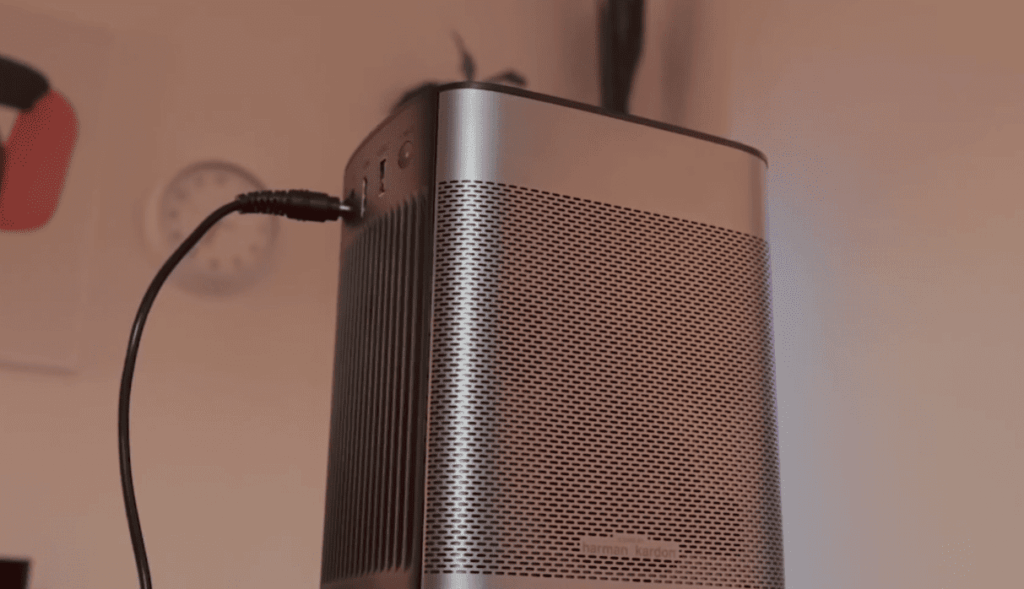
This model operates at just 28 dB in normal mode. The CZUR StarryHub takes it further with noise levels below 24 decibels.
Laser projectors generally run cooler and quieter. Their superior thermal management extends device lifespan during extended gaming sessions.
Soundproofing and Environmental Adjustments
Environmental modifications can dramatically reduce perceived projector noise. Simple additions like acoustic panels and heavy curtains absorb sound effectively.
Thick rugs or carpets help minimize reflections in your home theater. Some enthusiasts use sound-dampening enclosures with proper ventilation.
Ambient light rejection screens allow lower brightness settings. This reduces heat generation and fan activity for quieter movie nights.
Combining advanced projector technology with room optimization creates the ultimate viewing environment. Your home cinema becomes a sanctuary of visual and auditory perfection.
Conclusion
Creating the perfect home cinema experience requires balancing visual excellence with acoustic comfort. Modern projector technology has made tremendous progress in minimizing operational sound to levels that won’t disrupt your movie nights or gaming sessions.
Understanding the primary sources—cooling fans managing heat, light sources, and mechanical parts—empowers you to make informed choices. The best approach combines selecting quiet models with low dB ratings, proper placement at least six feet from seating, and utilizing Eco Mode for reduced fan activity.
Compared to other entertainment devices, today’s projectors operate remarkably quietly. With simple maintenance like regular dust cleaning and proper ventilation, you can enjoy immersive viewing experiences on a scale unmatched by traditional televisions.
Your home theater setup can now deliver both stunning visuals and peaceful performance, ensuring every cinematic moment remains truly captivating without distracting sounds.